
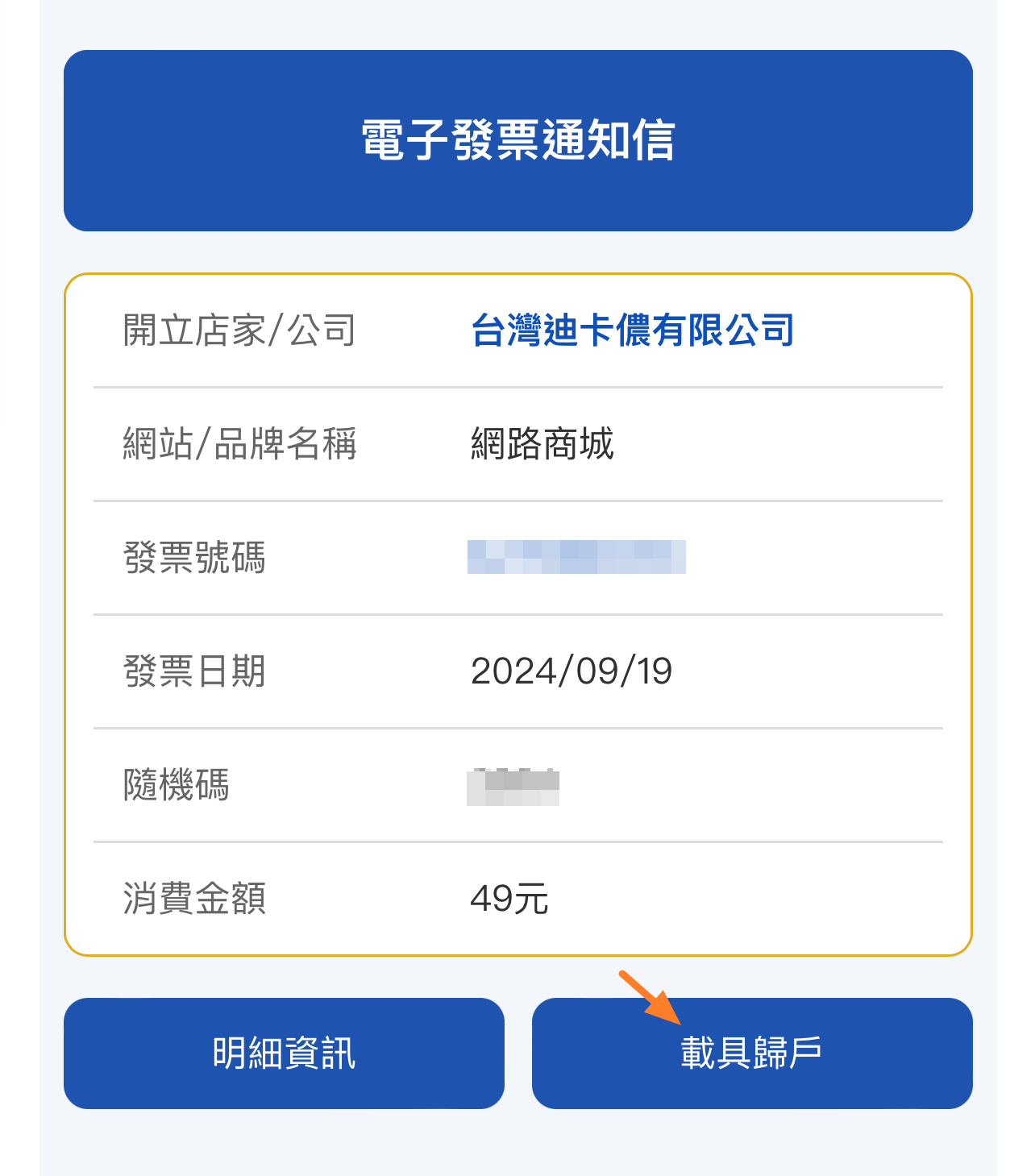
Step 1. 至您的信箱查詢【電子發票開立通知】,點選【載具歸戶】。
Step 1. Check your email for the【Electronic Invoice Notification】 and click 【Carrier Consolidation】.
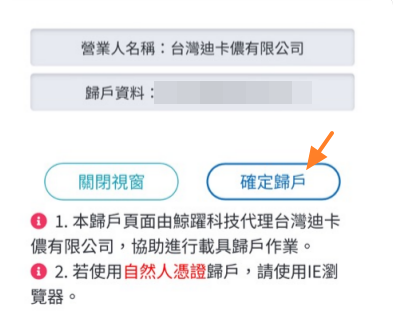
Step 2. 確認歸戶資料正確,點選【確定歸戶】。
Step 2. Confirm the information and click【Confirm consolidation】.
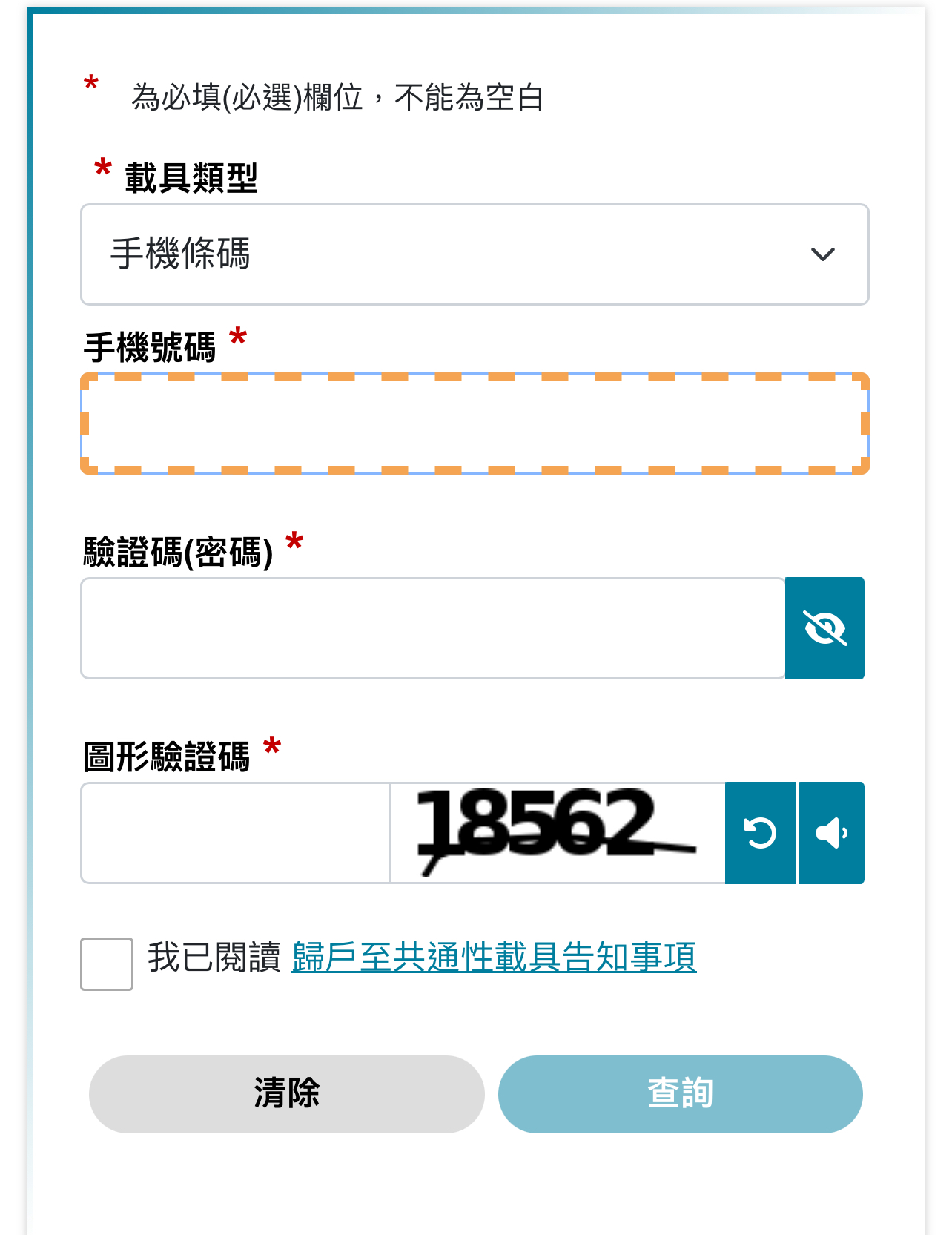
Step 3. 載具類型可選擇【手機條碼】或是【自然人憑證】,輸入資料後點選【查詢】。
Step 3. Select either【Mobile Barcode】 or 【Citizen Digital Certificate】as your carrier type, enter your details, and click【Search】.
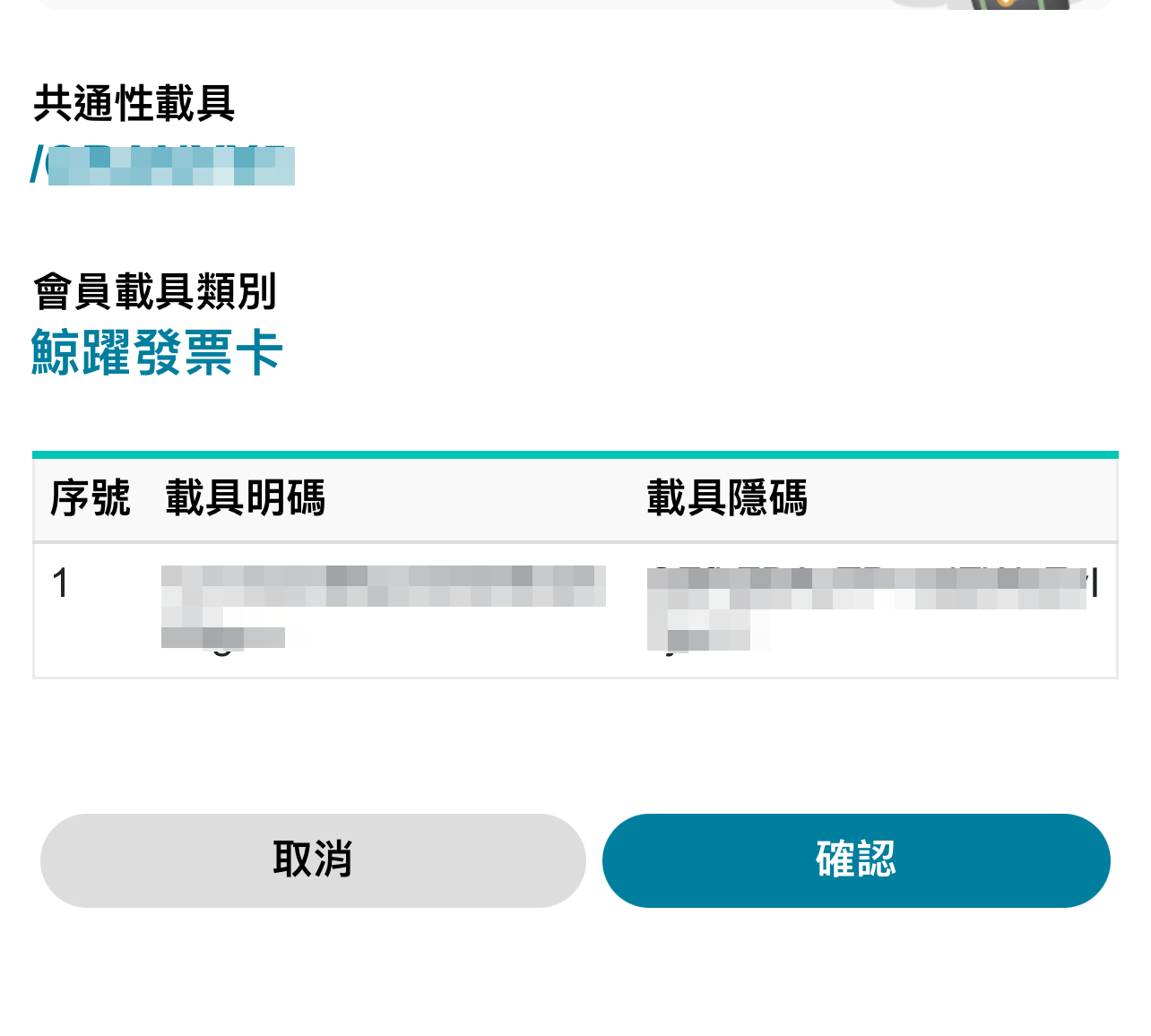
Step 4. 確認載具正確,點選【確認】。
Step 4. Confirm that the carrier information is correct and click【Confirm】.
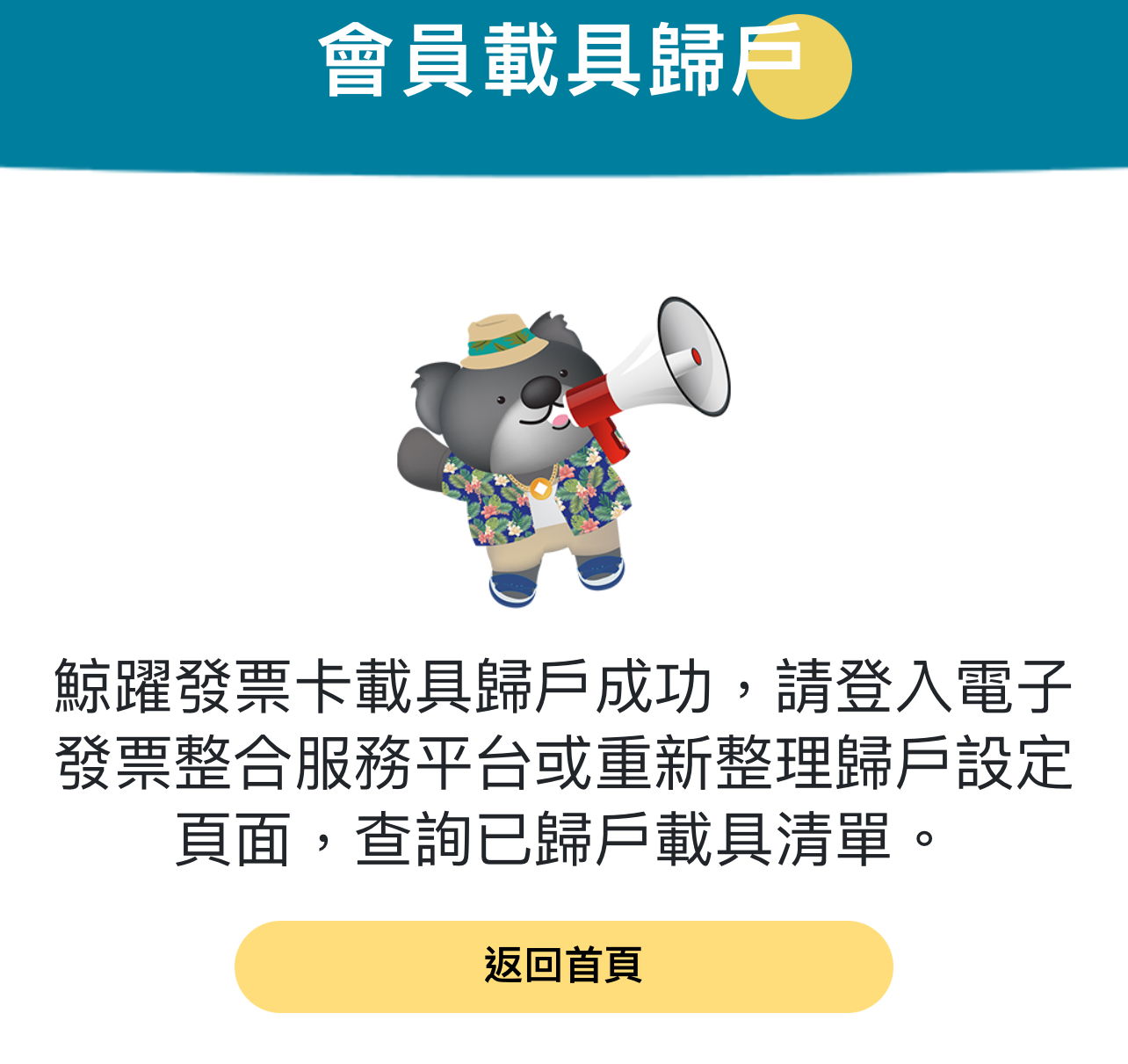
Step 5. 歸戶成功。
Step 5. Linkage completed successfully.
提醒您
※ 若您的發票為紙本發票或已存入您的手機載具條碼,則無須另外歸戶。
※ If your invoice is a paper invoice or has already been saved to your mobile barcode carrier, no additional consolidation is required.
※ 三聯式電子發票無法歸戶。
※ Triple-format e-invoices with a business tax ID cannot be linked to a carrier.